 Stampede Design
This is a walkthrough of how I used Claude Projects and Figma Console MCP to turn UI design assembly from a manual bottleneck into an agentic workflow, and what it actually took to get there.
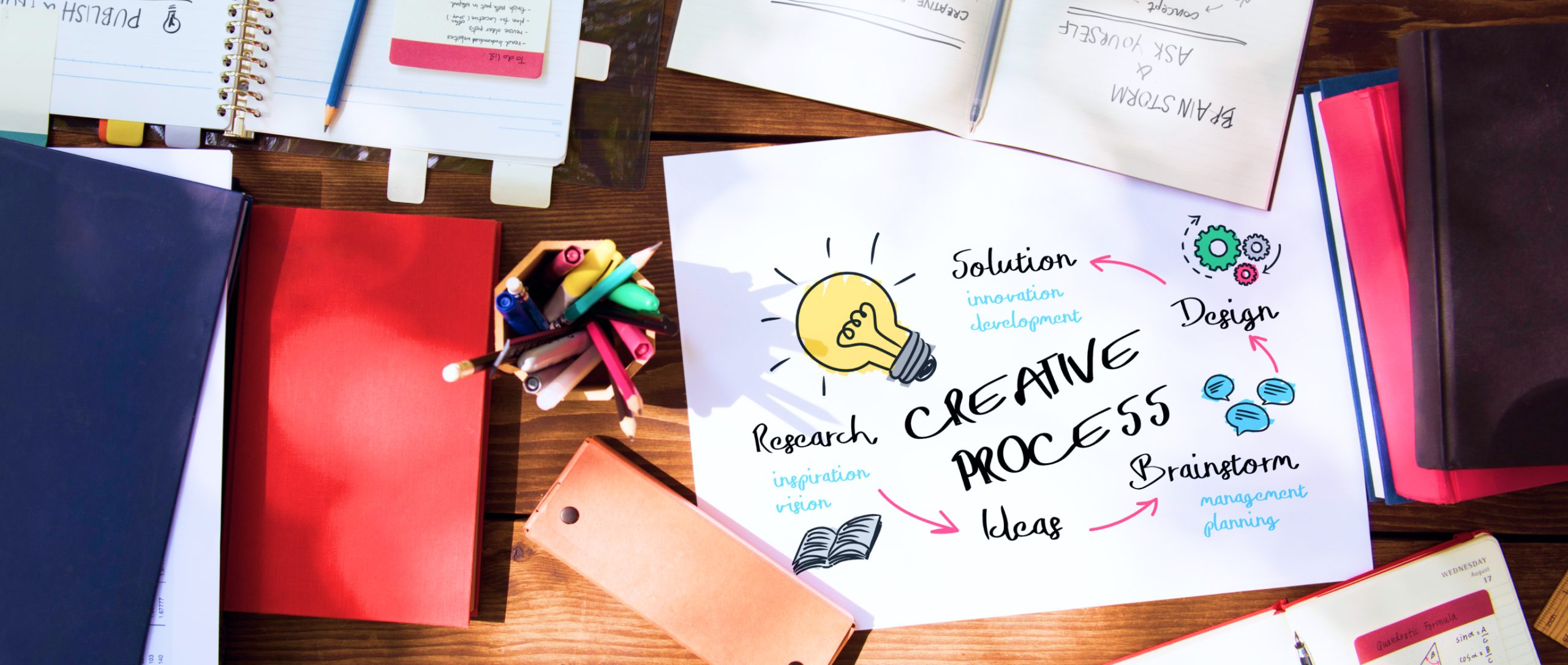
Every stage before UI execution has a clear handoff. Research, define, ideate, validate. AI has accelerated all of them. Landscape analysis in hours. Prototypes in less than a day. And then we hit UI execution, and everything slows down.
This is where designers go quiet. Where iterations happen alone. Where the wireframes get translated into screens by hand, component by component, in silence. And then the hours pile up. On top of that, the mental load builds. The rest of the team moves on while you are still assembling.
UI execution is different from the stages before it. It is not one handoff. It is hundreds. Every screen, every component, every state, every variation is counted. You are holding the user research, the product constraints, the design system, the technical constraints, and the business goal all at once, and translating them into pixels one decision at a time.
The rest of the process speeds up because AI is good at synthesising from context. UI execution stayed slow because it is about assembling, with hands, and we never separated the assembly from the parts around it.
Until I ran an experiment to see if that could change. If agentic UI execution could work. I got it!
How agentic UI execution works
Three pieces work together. Claude holds the context. Everything I know about the user, the product, and the business is stored in a Claude Project. Figma Console MCP is the bridge between Claude and where your design happens, or I would say, your canvas. And Figma is where the work happens. The screens get built in the source file, using my actual design library that I built.
Think of Figma Console MCP as a connector, not a plugin. It brings Claude directly inside my Figma environment, reading what is there and executing changes on my actual files, with my components, my tokens, and my structure.
Claude is not working from a description of my design system anymore. It is working from the source.
I chose Claude specifically because my project context already lives there. Everything Claude knows about the project travels with it into Figma. That continuity is the whole point.
I am a product designer, and I am proud of three things in my work
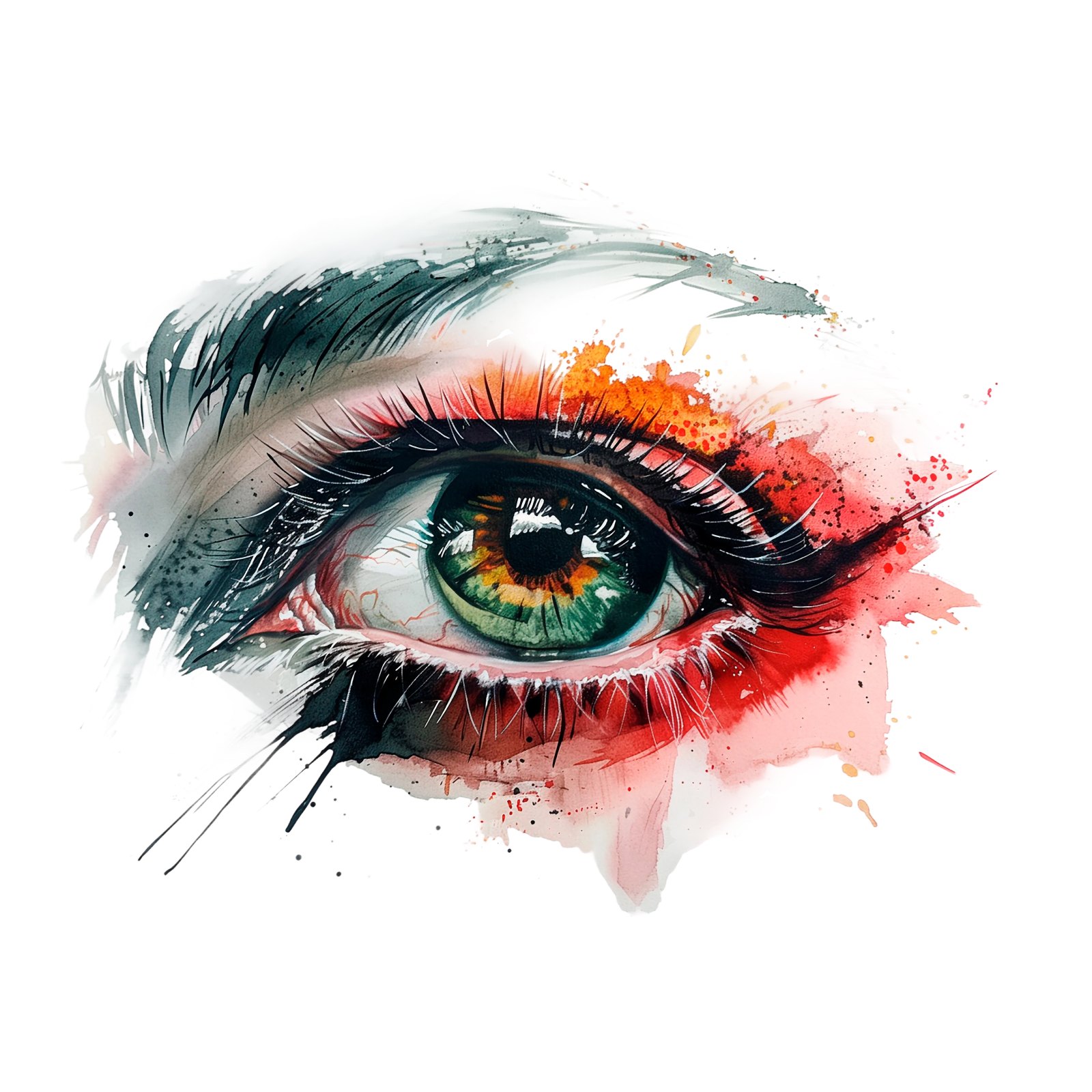
The taste
Knowing what good looks like. Judging which component fits the context, what hierarchy feels right, where to break a pattern and where to hold it.
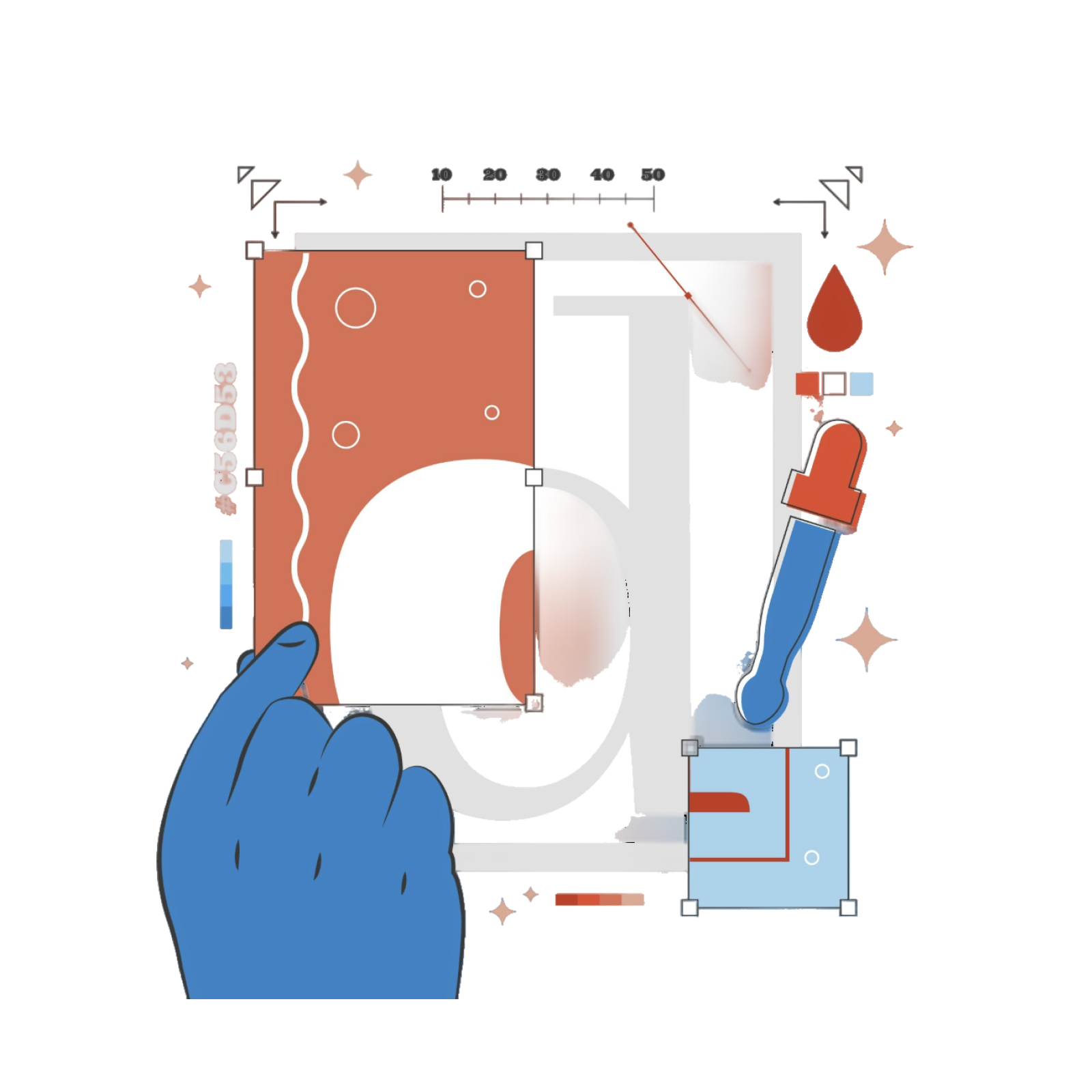
The craft
The foundational design knowledge. Principles, typography, spacing, accessibility, interaction patterns. The stuff that took years to build.
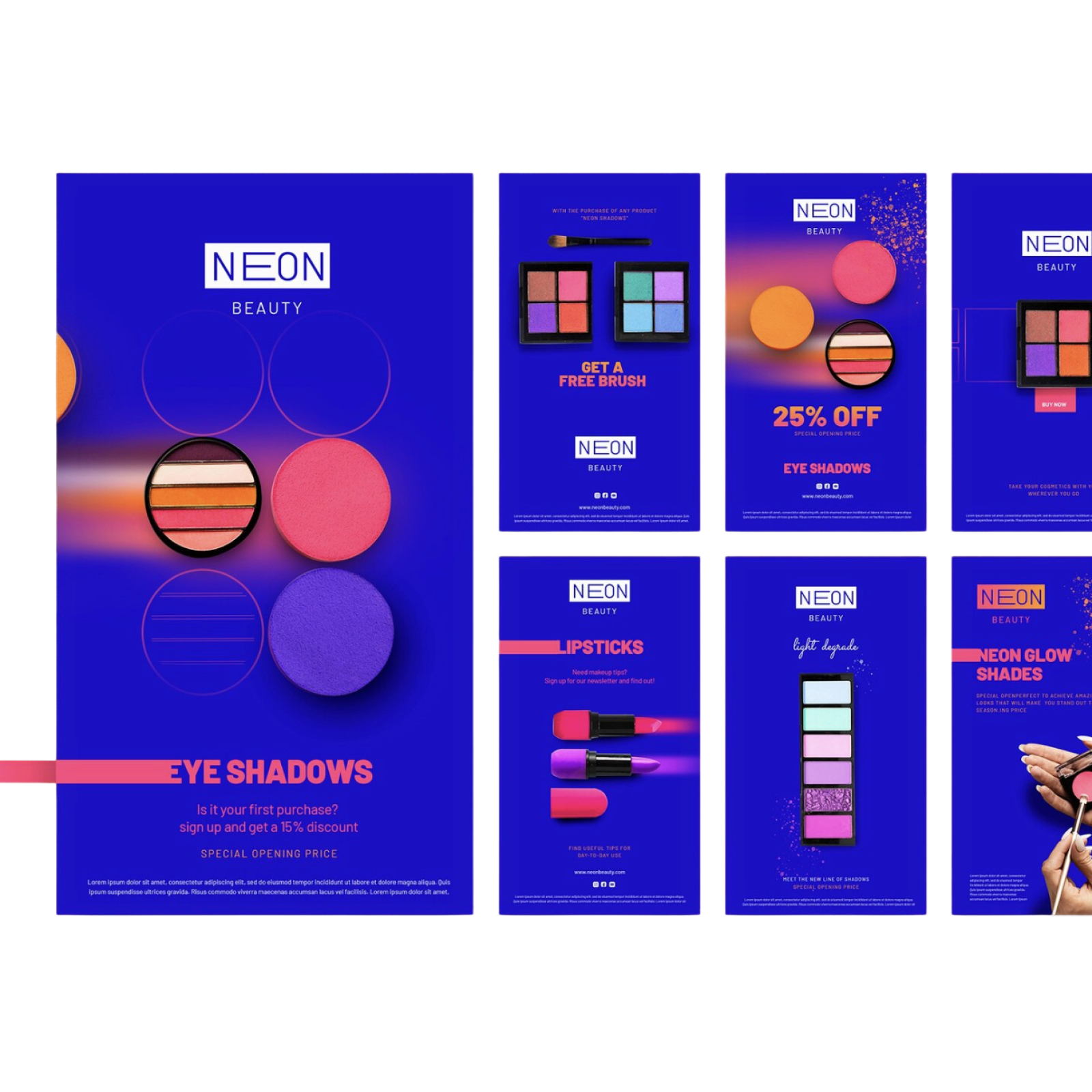
The assembly
The act of putting it all together. Taking the user flow, pulling from the design library, constructing the screens. Making something usable and buildable.
We usually talk about these as one job. They are not. They are three.
The assembly part is what’s actually draining us
The taste stays fun. The craft stays meaningful. The assembly is what drains us. It is manual. It is costly. It is tedious. It is the part that takes hours and leaves you with nothing to show for your skill, because the skill was spent on repetition, not judgment. If assembly stops eating our time, here is what we get back.
🕒 Time
Hours that used to go into building screen variations can go into the work only a designer can do.
🔥 Cost
Less designer time on mechanical work means projects move faster, and design becomes cheaper to scale without losing quality.
🧠 The mental load
No more holding every decision in your head. No more losing context every time you switch tools. No more translating feedback and ideas back and forth between Figma and everywhere else.
That last one is the part that keeps me up at night more than the others.
What success looks like
Before I introduce the tool, let me say what I was trying to achieve.
AI as the context keeper.
The information about the user, the product, and the business should travel with me into Figma, not get re-explained every session.
AI as the assembly assistant.
The mechanical work of putting screens together should be something I review, not something I build from scratch.
Taste and craft stay human.
These are the parts I want to protect, because these are the parts that make the design good.

Unlocking the capability
To get there, three things need to work together: Claude and Figma connected, your design library machine-ready, and your context is set up properly.
What you’ll need before you start
- Figma desktop app (MCP does not work in the browser version)
- Claude Pro or higher (for Claude Projects)
- A design library that meets the criteria below
Okay now let’s get to it!
1. Set the stage: get Claude and Figma talking to each other
Two things need to shake hands first. A bridge and a token.
1.1 Install Figma Console MCP
Follow Figma’s official MCP setup guide in the desktop app’s plugin settings. The browser version will not work here.
1.2 Set up the token
The token is a personal access key from your Figma account settings. It is how Claude gets read and write access to your files. Go to Figma > Account Settings > Personal Access Tokens to generate one.
1.3 Verify the connection
Once the bridge is running and the token is in place, test it. Direct Claude to draw a pink circle in Figma. If it appears on your canvas, that is the handshake. You got it right. But if it does not, restart the bridge, check the token scope, and try again.
1.4 Give Claude your project context
Claude needs to know about the project before it can help. I use Claude Projects to keep everything in one place: user research, product requirements, business goals, design principles, brand guidelines. All uploaded as files so Claude can pull from them in any chat I open.
This is the part that makes Claude a context keeper. Without it, every session starts from zero.
Once the connection is working, the next constraint is your design library. This is where most of the real preparation happens.
2. Get your design library machine-ready
The setup is the easy part. The real work is making sure your design library is something an AI agent can actually read and use. This is foundational work the whole team benefits from. It is not a designer’s side project, and it is exactly the kind of investment designers are positioned to make.
Four things matter.
2.1 Complete variant states
Every component covers all its states: default, hover, focused, disabled, error, loading. Gaps force the agent to improvise. And improvisation is where drift starts. The agent fills the gap with something that looks plausible, and your library slowly stops being the source of truth.
2.2 Annotated component descriptions
Each component carries a usage note. When to use it, when not to, what it signals to the user. Without this, the agent picks by shape, not by intent. A button that looks secondary gets used as a secondary button, even if it was designed for a destructive action. The description is what tells the agent why the component exists.
2.3 Token-linked styles
Colour, typography, spacing, all tied to tokens, not hardcoded values. The agent applies decisions through the token system. Hardcoded values break propagation, and propagation is how a design library stays consistent at scale.
2.4 Auto layout throughout
Components built with auto layout so the agent can resize and reflow without breaking structure. Fixed frames produce fixed output. If the agent cannot resize a component to fit the context, it either breaks the component or skips it.
The principle underneath all four is the same. The agent is not looking at your library. It is reading it. Everything that communicates visually to a human needs to communicate structurally to a machine. And if you are not sure where your library stands, Figma Console MCP can also help you audit it. Get it to flag what is not readable before you start building.
Once the setup is done and the library is ready, it is time to see it work.
3. Run your first wireframe-to-UI test
3.1 What context to give Claude
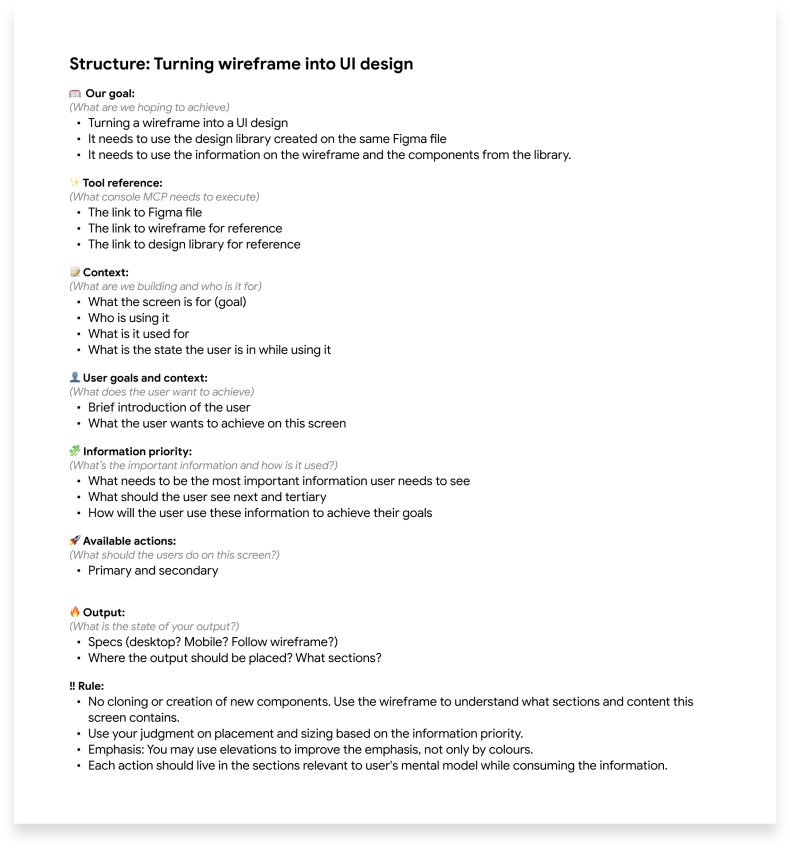
The context I give Claude before any screen gets built is more important than the prompt itself. Claude needs to understand the intent and the goal of the screens before it can build them. Here is what I put in the context:
👤 The user, and what they are trying to do.
📦 The product, and what problem it solves.
💼 The business goal behind this particular screen.
🎨 The design principles I want Claude to respect.
And then: the wireframe I want Claude to turn into a UI.
3.2 The context engineering that worked
3.3 What came back and what needed refinement
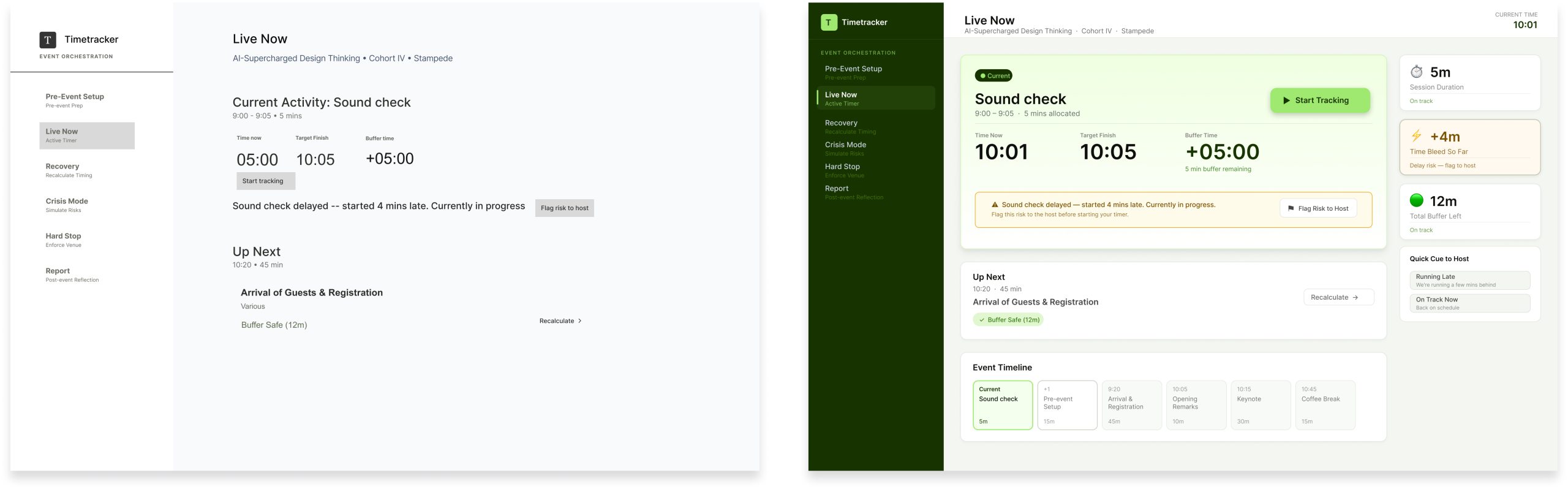
And… that was it! That was the test. But let’s look at where this actually changes the workflow.
The part where it improves our workflow
The real value is in the work where we actually spend the most hours, pushing pixels when it should be more efficient.
Derivative design.
Take one approved master screen and generate the rest of the flow. The settings page, the profile page, the confirmation page. What used to be hours of building from scratch is now a review pass. The time went somewhere better.
Different states.
Take one approved component and generate every state. Default, hover, error, loading, empty. What used to be tedious multiplication is now a review pass.
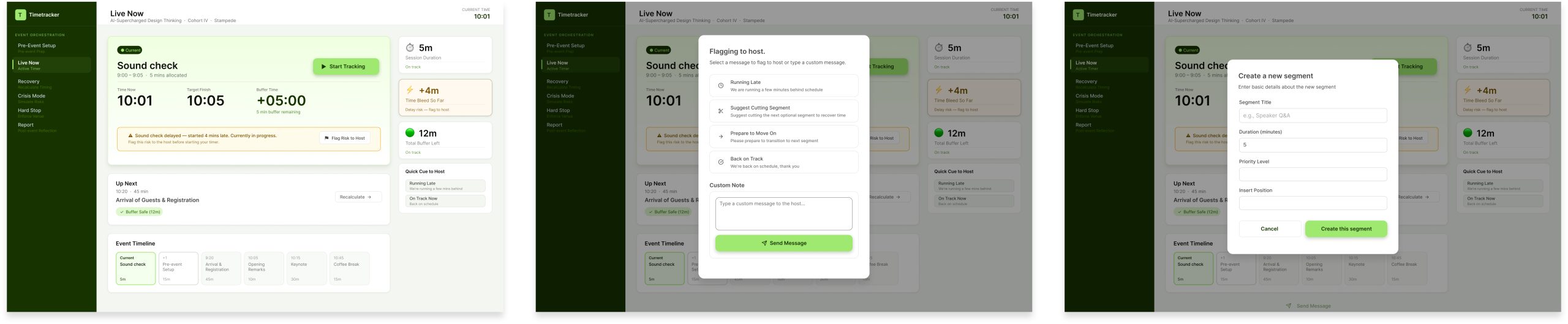
This is where the shift in where your time goes becomes obvious. You are not assembling the variations. You are reviewing them. And the review is the part that needs your judgment, so your time is finally going to the work only you can do.
Agentic UI design execution in your workflow
With the setup in place and the library ready, MCP becomes part of how you work. Here is the honest perspective.
Where it helps.
File hygiene becomes automatic. Layer naming and component organisation happen in seconds. Global variables sync across libraries without manual propagation. Design tokens match code before handoff, which makes developer handoff meaningfully cleaner. Accessibility issues and broken components surface through automated audits. Project context persists, so the agent is not working from scratch every session.
Where it breaks.
The setup is a barrier. A local bridge, a plugin, and real configuration work. Vague prompts have destructive potential. The agent can make edits that are accidental or hard to reverse. Large files consume significant API and token resources. Complex auto-layout and responsive logic still need manual refinement. The agent lacks intuition. It needs human oversight for deep UX and brand alignment.
None of these are reasons not to do this work. They are reasons to do it with eyes open, with a designer who knows their craft, and with realistic expectations about where the tool helps and where it does not.
The real gains
The shift is not about doing more. It is about where the time goes.
The taste got more of my time. I spend more of my day deciding what good looks like and less of it producing it. The craft got more of my time. I think more about principles, patterns, and accessibility, because I am no longer running out of energy building the screens.
The assembly got less of my time, and that is exactly what I wished for. The mechanical work is done by the agent. The review is done by me.

So, what’s next?
I am still tinkering. The prompts can get sharper. I am still figuring out what context matters most and what I can leave out. The library is never fully ready. Every new pattern needs to be made machine-readable before the agent can use it, and that is an ongoing piece of work.
Some things still need to be done manually. Complex responsive logic. Brand-critical screens. I do not use the agent for everything, and I do not think that is necessary. It still needs real designers.
The true value of AI is when it enhances human capability. Thinking and executing strategically. Taste stays human. Craft stays human. Assembly becomes agentic.
That is what this experiment showed me, and it is why I am going to keep going.
If you want to try this with your team, let’s talk. Reach out to me or anyone at Stampede on LinkedIn.
